
Keyboard rows, keys and terminology.
Home Row

The fingers of an experienced typist never "rest". However, if we could ask the fingers where they spend most of their time, it is over the home row. When you are still learning to keyboard, be careful to keep at least one finger of each hand anchored over the home row
Upper Row

Upper row is located just above the Home row. Upper contains highest number of characters
Lower Row

Lower row is located just below the Home row.
Numbers Row

Numbers Row is located above the upper row, Number key also available in a separate place at the right side of the keyboard
Arrow Keys
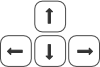
Four arrow keys are located at the right side of the keyboard, arrow keys are to move curser up, down, left and right
Special Keys
Space Bar
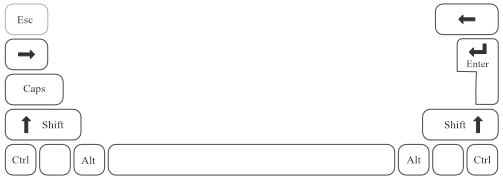
The space bar is one of the more frequently used keys. Press the space bar with thumb to add a space between letters and sentences
Tab Key
Inserts tab at cursor
Return Key or Enter Key
Press for new line at cursor. To start typing on a new line press the Enter key
Shift Key
To switch between upper / lower case use always free hand (not used for typing current character)
For example:
"Right-Shift" + "a" for "A"
"Left -Shift" + "l" for "L"
Alt Key
Hold and press Alt combination keys
Control Key
Hold and press Ctrl combo keys
Caps Lock
Push to lock and unlock capitals
see also:
typing